Ransomware is attacking NAS data – are you prepared?
Challenges
We know that ransomware is attacking us
from all angles. With strains of ransomware and malicious activity exploring
new routes to your data, it’s just a matter of time until you and your business
are compromised.
Your unstructured data is just
another target for these strains of ransomware. In the past, businesses were
typically infected via email or exploit kits hidden within websites. These new
attack methods focusing on NAS devices use a different method.
The malicious activity comes from scanning a
range of IP addresses, looking for NAS devices accessible via the web or within
the network. There are several devices that have integrated software with
vulnerabilities in it. This allows attackers to install the threat using these
exploits which will then encrypt all the data on the devices connected to the
NAS.
Prevention
I mentioned that ransomware is something we
are likely going to have to deal with in our day-to-day lives moving forward, but
there are still many ways in which we can reduce that threat.
Antivirus
While antivirus should be a must within a
business and in as many areas as possible, it requires antivirus vendors to
update their libraries to protect against certain variants. There is no single
tool that will provide 100% protection against a ransomware attack, even more
so when we look at the options available for NAS devices.
Software updates
Another thing that should be considered as
a preventative manner is keeping software up to date. You can keep
vulnerabilities at bay by adhering to an update schedule as preventive patches
are constantly being released by vendors.
Permissions
It’s helpful to keep a routine that checks permissions
within the environment are up to scratch and that people have access only to
specific files and shares.
Education
We’ve heard this so many times — this is
not just an IT or technical issue that needs to be addressed. This is an entire
work force issue, and everyone needs to understand the threat they’re facing.
Backup
The final one to mention is backup! In my
opinion, this is the most important one to consider because if the worse
happens, this is how you get your data back and have some data to function as a
business.
Protecting your unstructured data
Veeam gives you the ability to protect your
unstructured data in a simple, flexible and reliable manner.
If your unstructured data resides on a NAS
device serving SMB or if you use Windows or Linux file servers to store your
data and share across the business, Veeam has you covered.
A big challenge for protecting this
unstructured data is time. Veeam has introduced a feature called Changed File Tracking
which enables super-fast, incremental backups, which means you don’t have to wait
hours for backups to take place.
There is no tie-in to a specific NAS vendor
— Veeam stays agnostic in its approach to protecting your data. But if your NAS
device has native storage snapshot capabilities, Veeam could use those
snapshots to offload the performance down to the snapshot and not contend with
production usage of the NAS device.
Recovering NAS backups from ransomware attacks
The first thing to note when it comes to a
ransomware attack is that before you entertain the recovery method from a
backup, you need to ensure that you have remediated the threat to your production.
There is little point in restoring from a good backup to only find that the
threat is still at large and will just work through the newly restored data.
But when that ransomware threat and attack has
been dealt with, you want to ensure that you can get back up and running as
soon as possible with the latest good data available to your users and business.
Veeam’s NAS backup has a unique restore capability that allows for a rollback type function.

Rollback to a point in time is what I have been referring to as the “Last known good configuration” option. This option reverts all files that have been modified since the specific time and date to a previous version. This will also protect against malicious activity from within an organisation as it will restore deleted files.
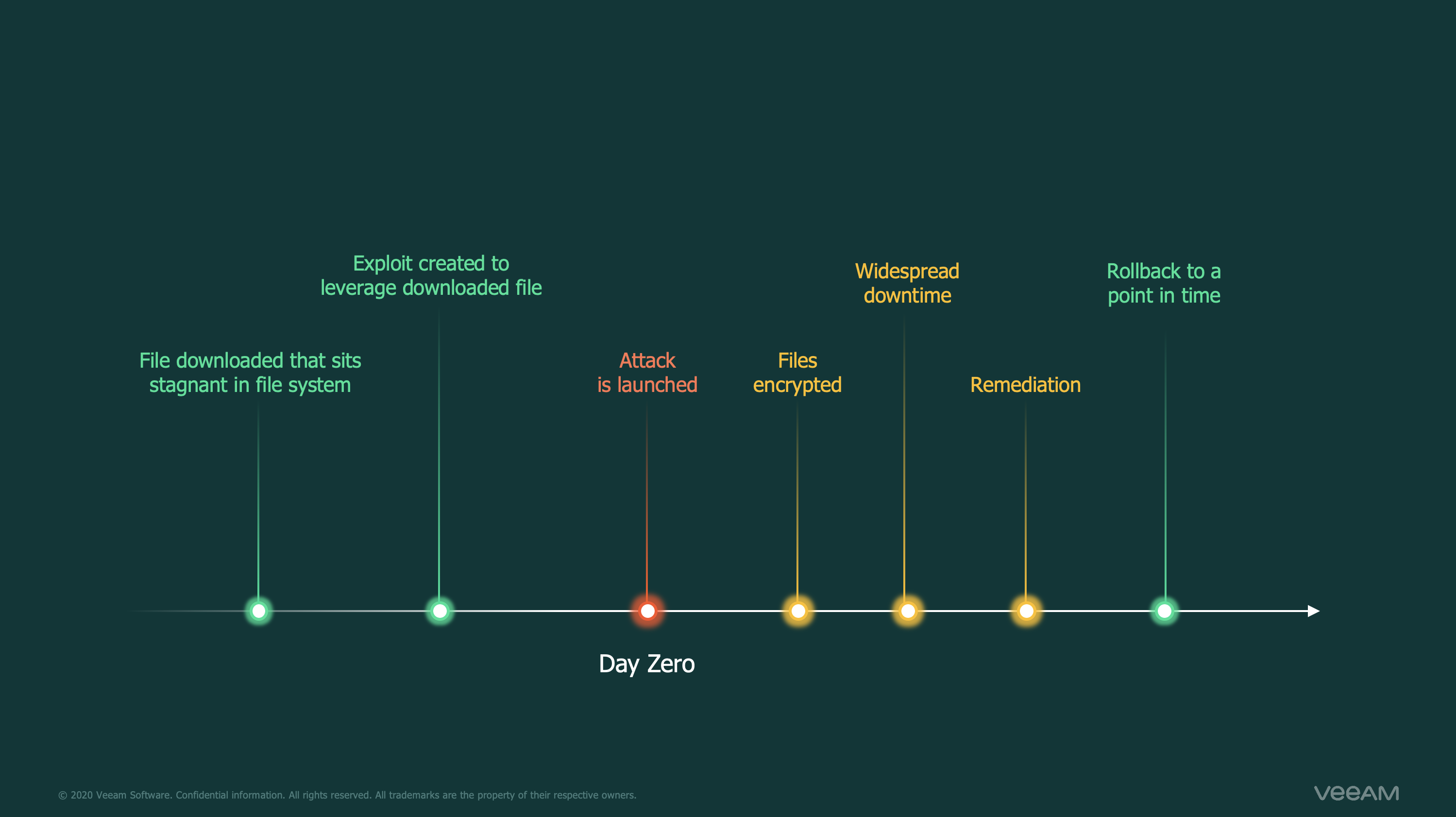
Below is a demo video of how Veeam can be
used to help you get back up and running using this recovery technique.
Summary
Hopefully it is very clear that the best time
to ensure that you’re prepared for an attack is NOW. By keeping ransomware
front of mind in your recovery strategy, you can effectively plan for a time
that we all hope never comes but is ultimately a reality in this always-on,
always-connected world.
Learn more about Veeam Backup & Replication NAS backup or download the What’s New document. Keep your backup copies protected from ransomware and ensure that you have a recovery strategy by downloading v10 now to take advantage of this and the 150 other amazing, new enhancements.
The post Ransomware is attacking NAS data – are you prepared? appeared first on Veeam Software Official Blog.
Veeam
via Veeam Software Official Blog https://ift.tt/21VeTDG
August 11, 2020 at 08:22PM
Michael Cade
 Stack IT News