StarWind SAN & NAS Installation video
StarWind SAN & NAS Installation video
By Vladan SEGET | Last Updated:
StarWind SAN & NAS is a new product from StarWind. It allows you to consume internal disks of your host and create shared pool which can be connected as shared storage to your virtual infrastructure. It is powered by StarWind SAN software that allows yout to create shared storage by using internal disks of your hosts. Since several releases StarWind uses Linux for the underlying operating system (for vSphere), which saves on Windows licensing.
StarWind SAN & NAS supports all industry-standard block and file protocols, like SMB3, NFSv3, NFSv4, NFSv4.1, and iSCSI (including VVols on iSCSI, NVMe-over-Fabrics, and iSER).
Quote from StarWind:
StarWind SAN & NAS is a fully HCL-certified software-defined shared storage for VMware vSphere and Microsoft Hyper-V. The solution also enables you to repurpose your servers into certified backup targets if you’re using Veeam. StarWind SAN & NAS, as a Linux-based VM, leverages all the features of ZFS to ensure optimal storage use, data safety and integrity. All of your favorite tools and toys unified into a single, lightweight, intuitive, and innovative SDS solution.
The main difference between the Free and paid version is the High Availability (HA) feature which allows you to “loose” a host while preserving your workloads.
Product page at StarWind is here.
In fact, the setup which is the most interesting in my opinion (on the vSphere version) is the one where you don’t have HA managed with vSphere but with StarWind. In this case, the license for vSphere is way cheaper compared to vSphere with HA. And StarWind has a HA with their licensed version. The free version does not provide HA
Screenshot from the lab.
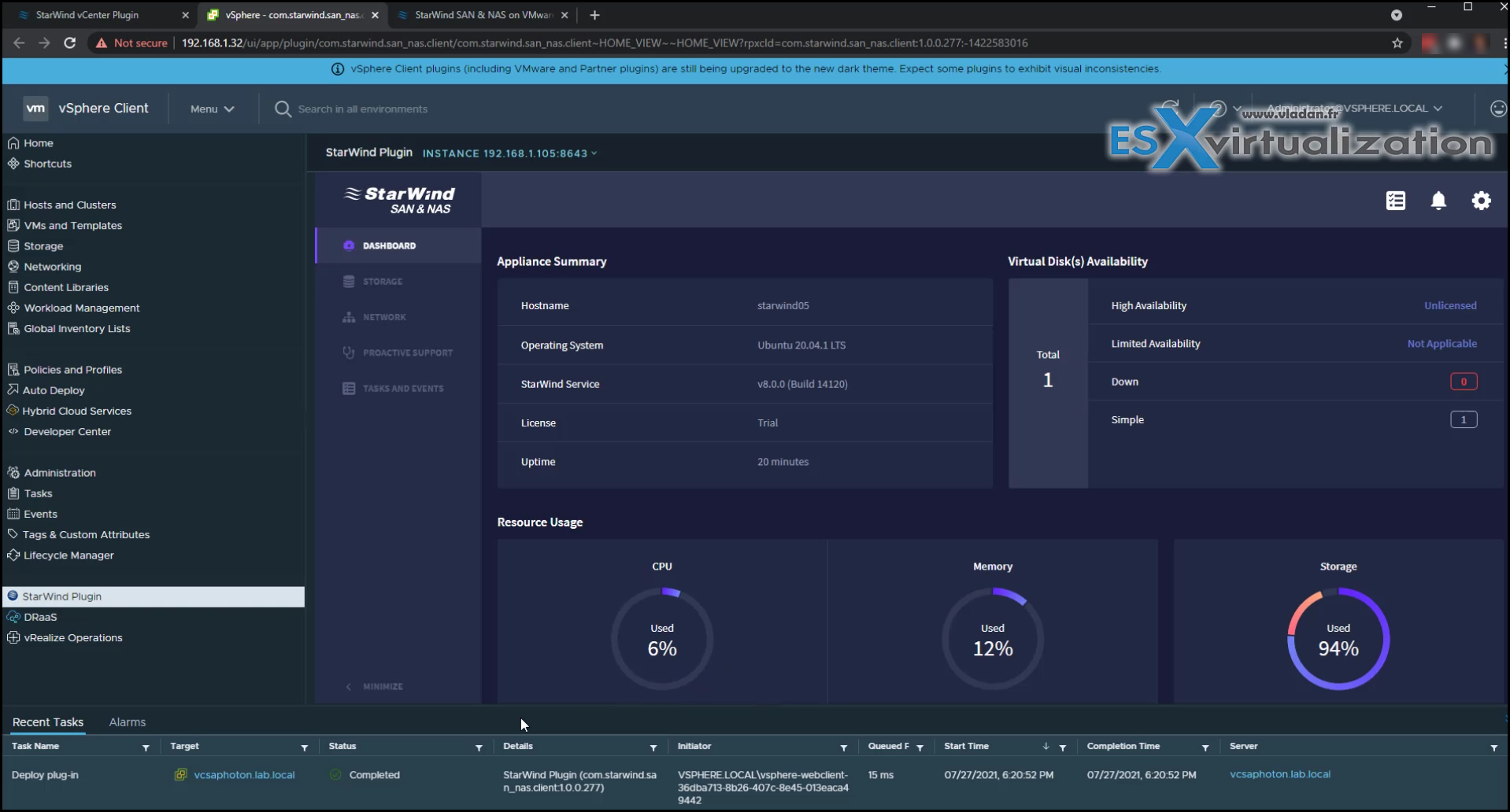
Here is a quick video from the lab where I first deploy the OVA to my vCenter server and then run the assistant with the installation and configuration. Part of the workflow is also vCenter server plugin deployment (part of the installation assistant). This is pretty cool as via a quick assistant we do both, the installation and vCenter plugin deployment.
Please note that this video does not show ALL the installation steps (ESXi networks preparation steps are not on the video) but it’s here to give you a visual how things looking.
Enjoy…
Recent StarWind news on ESX Virtualization:
More posts from ESX Virtualization:
Stay tuned through RSS, and social media channels (Twitter, FB, YouTube)
vmware
via ESX Virtualization https://www.vladan.fr
July 28, 2021 at 03:28PM
Vladan SEGET
 Stack IT News