Read This Before Your Users Install SSMS 20
SQL Server Management Studio 20 Preview 1 is out, and the new connection dialog has a big change:
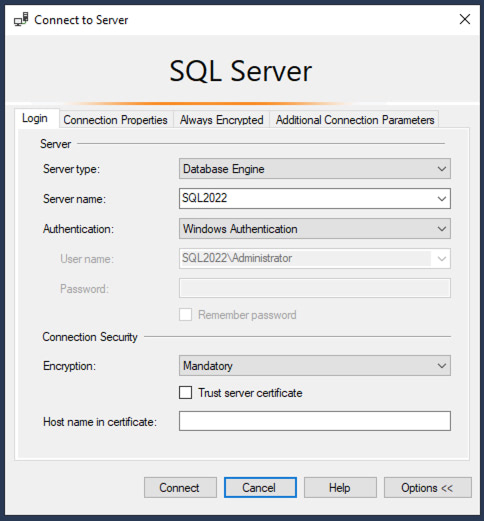
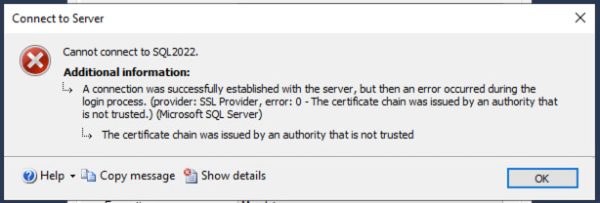
When you click Connect, you’re likely going to get an error:
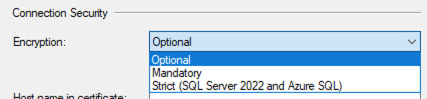
The fastest fix is to click the Encryption dropdown, and change it to Optional:
And then you’ll be able to connect fine.
The long term fix is to read this announcement post, then read this post about the certificate requirements, then set up certificates on all your SQL Servers. As far as I can tell, it’s not as easy as just copying a sample script from Stack Overflow, bucko – for example, if you’re using an AG listener, you have additional steps to take for each cert. Even when properly configured, you have to be careful because some features don’t work, like DTA, saving Profiler traces to tables, or viewing the errorlog files via Object Explorer.
It’s a good idea long term. We’ll go through some growing pains while folks build out a checklist of how to put in certs quickly and work around common problems. DBAtools already has a Set-DbaNetworkCertificate cmdlet, and I bet that’ll get a lot more activity in the coming weeks as people prepare for SSMS 20.
SQL
via Brent Ozar Unlimited® https://ift.tt/AUW5dNV
March 4, 2024 at 02:01PM
Brent Ozar
 Stack IT News