Adding Office 365 License via PowerShell
Assigning Office 365 license via powershell is need of the hour if the tenant doesn't have p1 license and you got to apply them manually. the only easy way is use powershell for bulk license assignment. Also its useful to upgrade or renew different licensing.Connect-AzureADif you don't have the module
Install-Module -Name AzureADGet-AzureADUser -ObjectID username@azure365pro.com | Select DisplayName, UsageLocation
Got the usage location as US
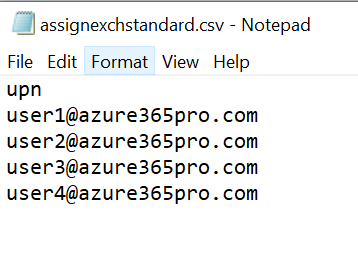
Import-Csv .\assignexchstandard.csv | ForEach-Object {Set-AzureADUser -ObjectId $_.upn -UsageLocation "US"}use the below command to Cross-checking on applied values - or use GUI
Import-Csv .\assignexchstandard.csv | ForEach-Object {Get-AzureADUser -ObjectId $_.upn | FT UsageLocation }
Now usage location is updated on the required accounts. as it's mandatory before assigning a license via PowerShell. in my case, I don't have a p1 license in this tenant that's the reason I got to do this via PowerShell otherwise I would use dynamic licensing
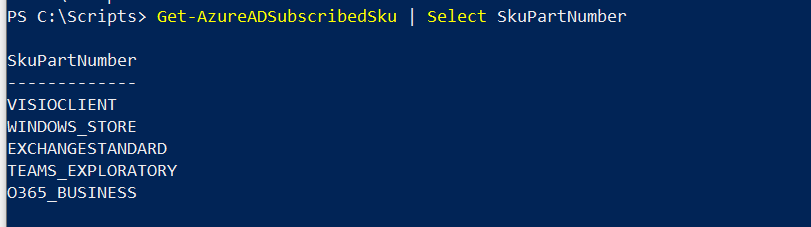
Get-AzureADSubscribedSku | Select SkuPartNumberIn my case, I need to assign ExchangeStandard
$License = New-Object -TypeName Microsoft.Open.AzureAD.Model.AssignedLicense $License.SkuId = (Get-AzureADSubscribedSku | Where-Object -Property SkuPartNumber -Value EXCHANGESTANDARD -EQ).SkuID $License.SkuId 4b9405b0-7788-4568-add1-99614e613b69 $LicensesToAssign = New-Object -TypeName Microsoft.Open.AzureAD.Model.AssignedLicenses $LicensesToAssign.AddLicenses = $License $LicensesToAssign | FL AddLicenses : {class AssignedLicense { DisabledPlans: SkuId: 4b9405b0-7788-4568-add1-99614e613b69 } } RemoveLicenses :once you have a proper value assigned on this variable $LicensesToAssign
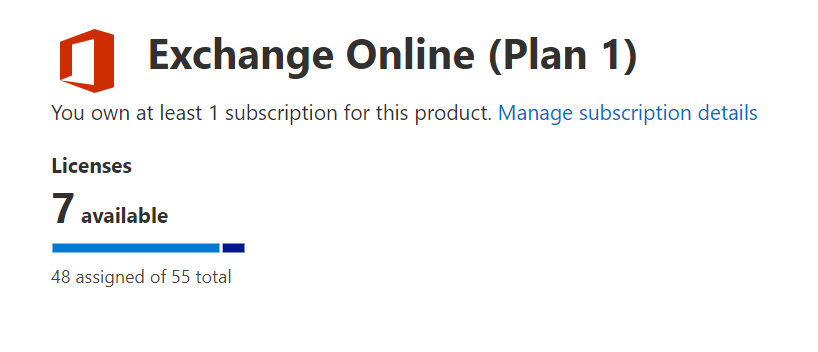
you can use import-csv to assign all users.Import-Csv .\assignexchstandard.csv | ForEach-Object {Set-AzureADUserLicense -ObjectId $_.upn -AssignedLicenses $LicensesToAssign}Now you can see licenses got assigned successfully.
The post Adding Office 365 License via PowerShell appeared first on azure365pro.com.
exchange
via azure365pro.com https://ift.tt/30ltBts
March 8, 2021 at 04:28AM
Satheshwaran Manoharan


 Stack IT News