Supercharge Management & Automation with Ansible Azure
Authenticating Ansible with Azure
With the prerequisites out of the way, you now focus on automating the deployment of an Azure Virtual Machine (VM) running an Ubuntu Operating System (OS) on Microsoft Azure. The Ubuntu Server will then run an Apache web server provisioned via Ansible Azure.
But first, you must configure Azure authentication for Ansible by creating a service principal to grant it access to Azure resources.
To authenticate Ansible with Azure using a service principal, proceed with the following:
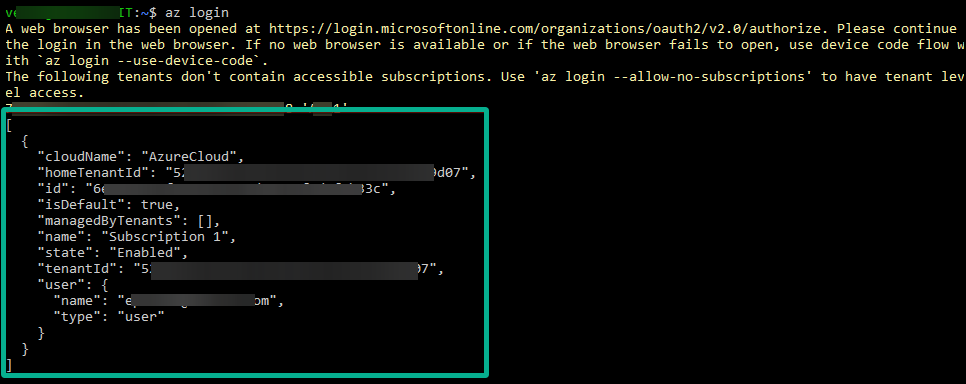
1. Launch the Azure CLI on your environment, and run the following az command to initiate the login to the Azure process.
This command opens a web browser window, prompting you to sign in to your Azure account (step two).

2. When prompted, enter your Azure credentials and follow the instructions to complete the login process.
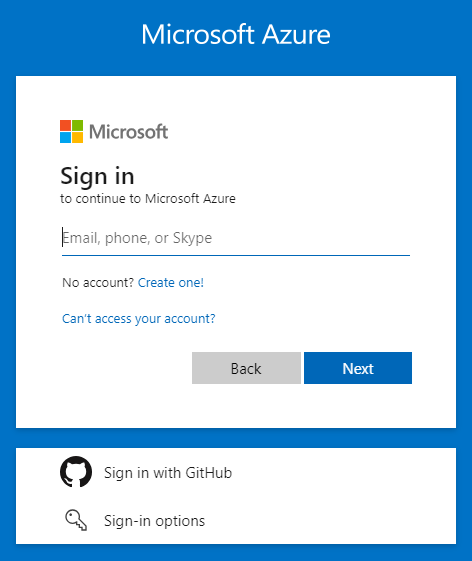
After successful authentication, the Azure CLI will display information about your Azure subscriptions and tenants.
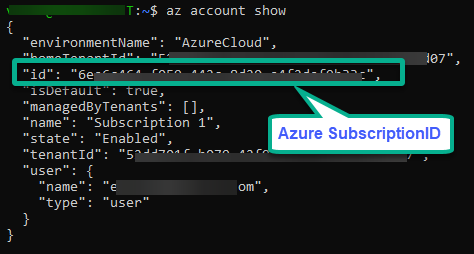
3. Next, execute the account show command below to get the details of your Azure subscription.
In the output, copy the Azure SubscriptionID to your Notepad, as you will need it in the following step.
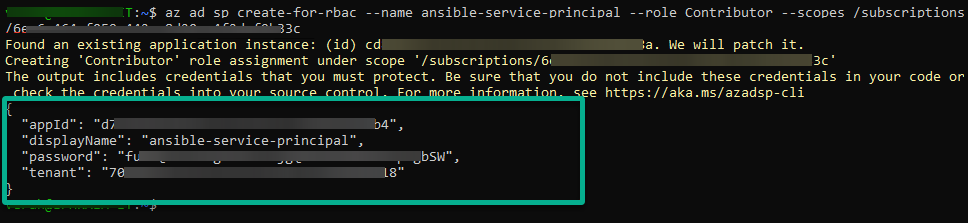
4. Now, run the following command to create a new service principal. Replace <subscription_id> with the ID of your Azure subscription.
az ad sp create-for-rbac --name ansible-service-principal --role Contributor --scopes /subscriptions/<subscription_id>This command outputs a JSON object containing the service principal’s credentials and other details. Save this information securely, as you will use it to authenticate Ansible with Azure.
Related:Set Up Azure Service Principal: Unattended Access Guide
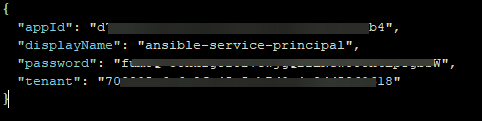
5. Store the service principal credentials securely in a JSON file (i.e., azure_credentials.json).
Replace YOUR_APP_ID, YOUR_SERVICE_PRINCIPAL_PASSWORD, and YOUR_TENANT_ID with the values you noted in step four.
{
  "appId": "YOUR_APP_ID",
  "displayName": "YOUR_SERVICE_PRINCIPAL_NAME",
  "password": "YOUR_SERVICE_PRINCIPAL_PASSWORD",
  "tenant": "YOUR_TENANT_ID"
}
6. Next, run each command below to set (export) environment variables to configure Ansible to use the Azure credentials stored in the azure_credentials.json file.
These export commands have no output to your terminal, but Ansible is now authenticated and ready to manage Azure resources using the provided service principal credentials.
export AZURE_CLIENT_ID="YOUR_APP_ID"
export AZURE_SECRET="YOUR_SERVICE_PRINCIPAL_PASSWORD"
export AZURE_SUBSCRIPTION_ID="Azure SubscriptionID"
export AZURE_TENANT="YOUR_TENANT_ID"Related:How to Leverage Ansible Variables in Roles and Playbooks
Azure
via ATA Learning https://ift.tt/N7BtQjJ
March 11, 2024 at 02:06PM
Verah Ombui
 Stack IT News