StarWind VTL: Building a Solid, Immutable Backup Strategy in the Ransomware Era
Ransomware is no longer a distant threat — it is a daily reality for backup administrators. Attackers have learned that encrypting production data is only half the job. The real leverage comes from destroying or encrypting the recovery points themselves. If your backups are mutable, reachable over the same network, or sitting on a simple disk share, you are one successful lateral move away from a very expensive conversation with the board.
This is exactly why Virtual Tape Library technology has become so interesting again. And among the practical options available, StarWind Virtual Tape Library (VTL) stands out for backup teams that want real immutability and air-gapping without going back to physical LTO libraries, robots, and offsite vaulting headaches.
I have covered StarWind VTL several times on this blog (you can find earlier deep dives here, here, and the best-practices post here). Today I want to focus on why it remains highly relevant for anyone designing a solid, modern backup strategy centered on immutability.
Why Virtual Tape Still Makes Sense
Physical tape has always offered two valuable properties that pure disk repositories struggle to match: sequential write-once behavior and the ability to create a true air gap by removing media. The problem is the operational cost, slow restores, mechanical failures, and the logistics of moving cartridges around.
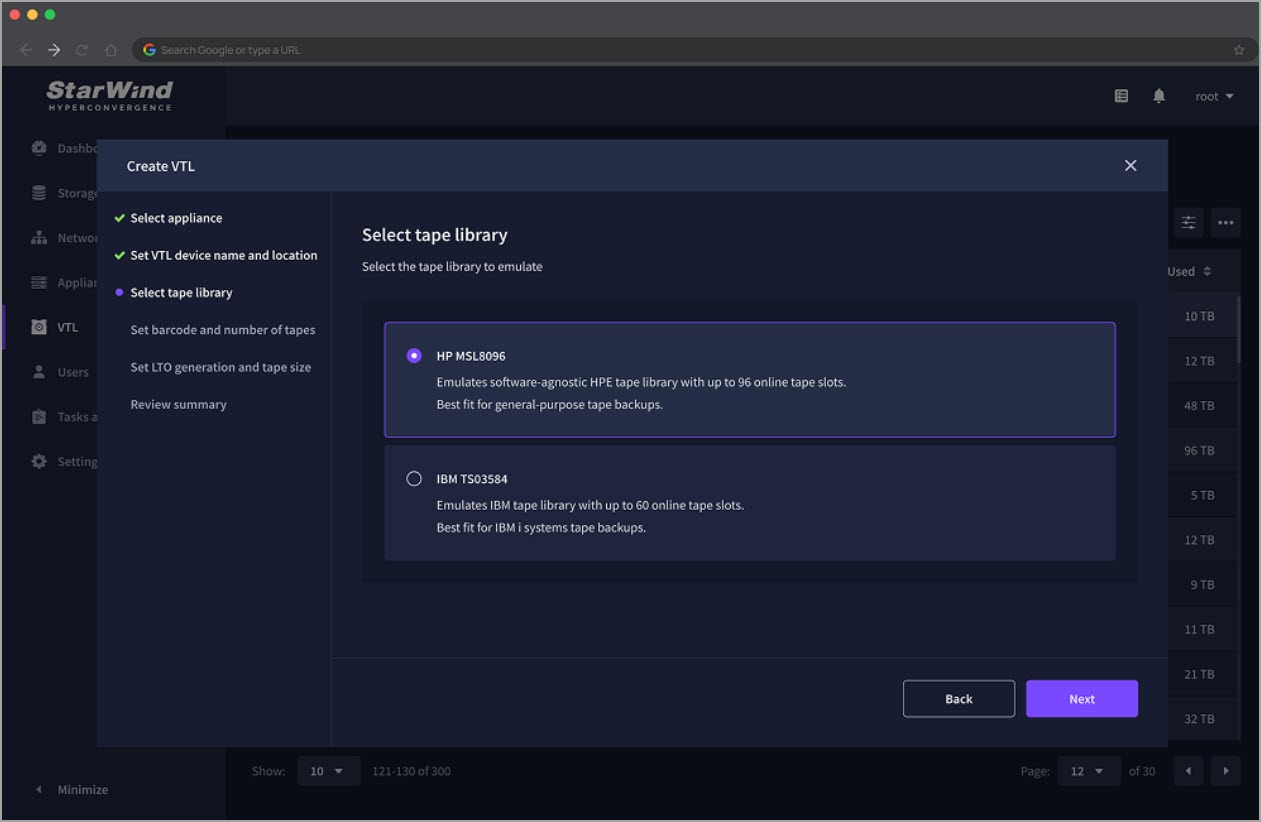
StarWind VTL emulates industry-standard tape libraries (IBM and HP LTO styles) using ordinary disk storage — high-capacity HDDs for capacity, SSDs or hybrid pools for performance — and presents them over iSCSI to your backup software. Your Veeam, NAKIVO, or other tape-aware application sees a normal tape library with drives, slots, and barcodes. Under the hood it is fast disk with Write-Once-Read-Many (WORM) characteristics.
Once a virtual tape is written and closed, it becomes immutable. Even root or administrative access on the VTL host cannot alter or delete the data until the retention policy expires. That is a powerful logical air gap. Ransomware that speaks file protocols has nothing useful to talk to.
You can (and should) deploy the VTL on dedicated hardware or a well-isolated host, keep it out of the domain, use CHAP for iSCSI, disable unnecessary shares, and place it on a separate network segment. The result is a backup target that is both fast to write to and very difficult for an attacker to reach or modify.
Fitting the 3-2-1 (or 3-2-1-1-0) Rule Cleanly
A robust strategy still starts with the classic rule: three copies of data, on two different media types, with one offsite. StarWind VTL slots into this model cleanly:
- Production data (copy 1)
- Primary disk repository (copy 2 — different media)
- StarWind VTL virtual tapes on local disk (immutable, air-gapped layer)
- Optional automatic tiering/replication of closed virtual tapes to public cloud or S3-compatible object storage (AWS S3/Glacier, Azure, Backblaze B2, Wasabi, etc.) for the true offsite copy
This gives you fast local restores from the on-prem VTL while still meeting regulatory and disaster-recovery needs. Restores from virtual tape are seek-free compared with physical media, so RTO improves dramatically. I have written specifically about how this pairs with Veeam and the 3-2-1 rule here.
Many backup vendors now can incorporate VTLs. Example from Veeam bellow.

Cloud tiering is optional. You keep full control of the on-premises copy. Data stays where you decide it stays — important for data-sovereignty requirements and for those moments when you need a rapid recovery without waiting for cloud downloads.
Practical Deployment Notes for Backup Admins
StarWind offers several deployment paths:
- Linux ISO (recommended for production) — lightweight appliance image that can run bare-metal or as a VM
- Windows application
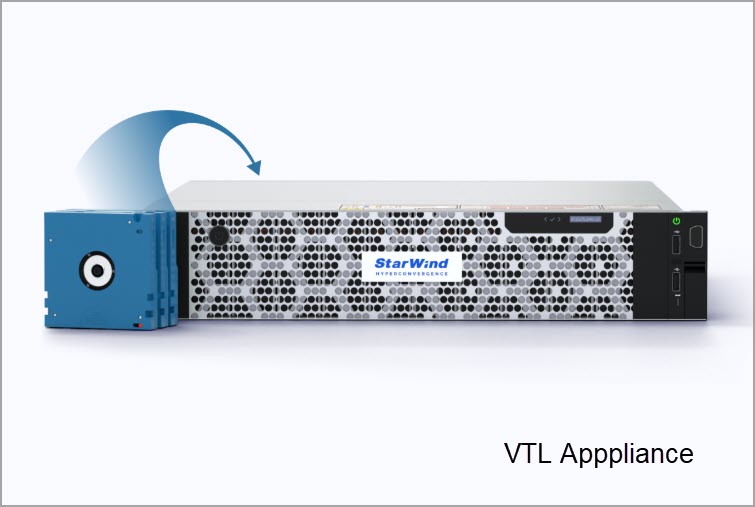
- Pre-built VTL Appliance (hardware + software) for turnkey setups with proactive monitoring
You create storage pools from local disks, carve out VTL devices, and connect them via iSCSI. The free edition exists for labs and smaller use cases (limited number of virtual tapes, PowerShell configuration, community support). For production work the commercial version removes the limits, adds full GUI management, local storage support, advanced retention and tiering policies, and proper support options.
Best practices I keep coming back to (detailed in the best-practices article):
- Isolate the VTL host as much as possible
- Prefer dedicated networking (10 GbE or better for larger environments)
- Size the backend storage with growth and your backup software’s deduplication/compression ratios in mind
- Test restores regularly — virtual tape makes this far less painful than physical media
- Combine with other layers (hardened repositories, proper network segmentation, least-privilege accounts)
The product page with download options and deeper technical details is here: StarWind Virtual Tape Library (or the overview at https://www.starwindsoftware.com/vtl).
Why This Matters Right Now
Backup windows are not getting longer. Data volumes keep growing. Attackers specifically target backup infrastructure because they know that is the last line of defense. Adding an immutable, protocol-isolated target that your existing backup software already understands is one of the higher-ROI moves a backup administrator can make.
You do not have to rip and replace everything. You do not have to buy a physical tape library and start managing robots and vaulting again. You can keep using the tools and processes your team already knows while significantly raising the bar against ransomware.
StarWind VTL is not magic — nothing is. Proper isolation, monitoring, tested restores, and layered defenses still matter. But as a practical, software-defined way to introduce true immutability and air-gapping into a disk-based world, it remains one of the more interesting tools available to backup administrators.
If you are currently evaluating options for strengthening your backup strategy against ransomware, spin up the free version in a lab or request a trial of the full product. The setup is straightforward, and the peace of mind of having closed, immutable virtual tapes is hard to overstate.
Have you already deployed a VTL (StarWind or otherwise) in production? What challenges are you seeing with immutability and air-gapping in your environment? Share your experiences in the comments — I always enjoy reading real-world feedback from fellow admins.
For more reading on the topic you can check the earlier posts linked above, or head over to the official StarWind VTL product pages for the latest downloads and documentation.
VTL Free for Production and POCs!
Yes, there is also a FREE version of StarWind VTL which you can download and use in production (limited do 4 tapes and other limitations, but hey, it’s free). Then check the whole step-by-step of the config of installation and configuration with Veeam, with screenshots here.
Quote:
VTL Free is designed for production purposes, PoC (Proof of Concept), or test and development. Virtual Tape Library Free allows offsite archival in the cloud but doesn’t store any data locally. To restore or test the backup, data has to be first downloaded from the cloud storage. The full version though, allows fully customized data retention, replication, and tiering profiles to keep the important backup data on premises for immediate recovery. StarWind VTL Free ships with a set of ready-to-use PowerShell scripts that will help users to conveniently deploy and configure the solution.
There is also Hardware VTL appliance
Yes, a complete, pre-built physical VTL appliance. StarWind provides customers with a very special combination of the hand-picked Enterprise-grade hardware, an in-house developed tape emulation software, an intuitive web UI, an AI-powered sophisticated telemetry, and “call home” systems.
With this you’ll also get an enterprise support.
More posts about StarWind:
More posts from ESX Virtualization:
Stay tuned through RSS, and social media channels (Twitter, FB, YouTube)
vmware
via ESX Virtualization https://www.vladan.fr/
November 2, 2026 at 06:29AM
Vladan SEGET

