OSINT Tools for Cybersecurity: A Practical Guide for Security Teams
OSINT Tools for Cybersecurity: A Practical Guide for Security Teams
Attackers are already running open source intelligence operations against your organization. They are mapping your exposed infrastructure, harvesting employee credentials from breach databases, and identifying unpatched systems, all before writing a single line of exploit code. The question is whether your security team is doing the same.
This guide covers some of the best OSINT tools by category, the key OSINT websites to bookmark, free versus paid options, and a practical investigation workflow your team can use immediately.
What Is Open Source Intelligence (OSINT) in Cybersecurity?
Open source intelligence, or OSINT, refers to the collection and analysis of publicly available information to produce actionable intelligence. The “open source” has nothing to do with software. It simply means the information is publicly accessible, not classified or covertly obtained.
In cybersecurity, open source intelligence (OSINT) serves three core functions:
- Attack Surface Management: Understanding your internet exposure before an attacker maps it for you.
- Threat Intelligence: Tracking adversary infrastructure and campaigns.
- Incident Response: Rapidly contextualizing alerts with external data about actors and malware.
Red teams use OSINT in the pre-engagement recon phase. SOC analysts use it to enrich alerts and cut investigation time. Threat intelligence teams use it as their primary collection method. Whatever your role, OSINT security is a skill that directly improves your effectiveness from day one.
OSINT Tools List: The Best Tools by Category
Below is a curated OSINT tools list covering the most valuable tools across every major category, with clear notes on whether each is free, freemium, or paid.
Domain and IP Intelligence
Shodan
The most powerful internet infrastructure search engine available. Shodan indexes open ports, service banners, SSL certificates, and device metadata across the entire public internet. Essential for attack surface mapping and threat actor infrastructure research. Freemium.
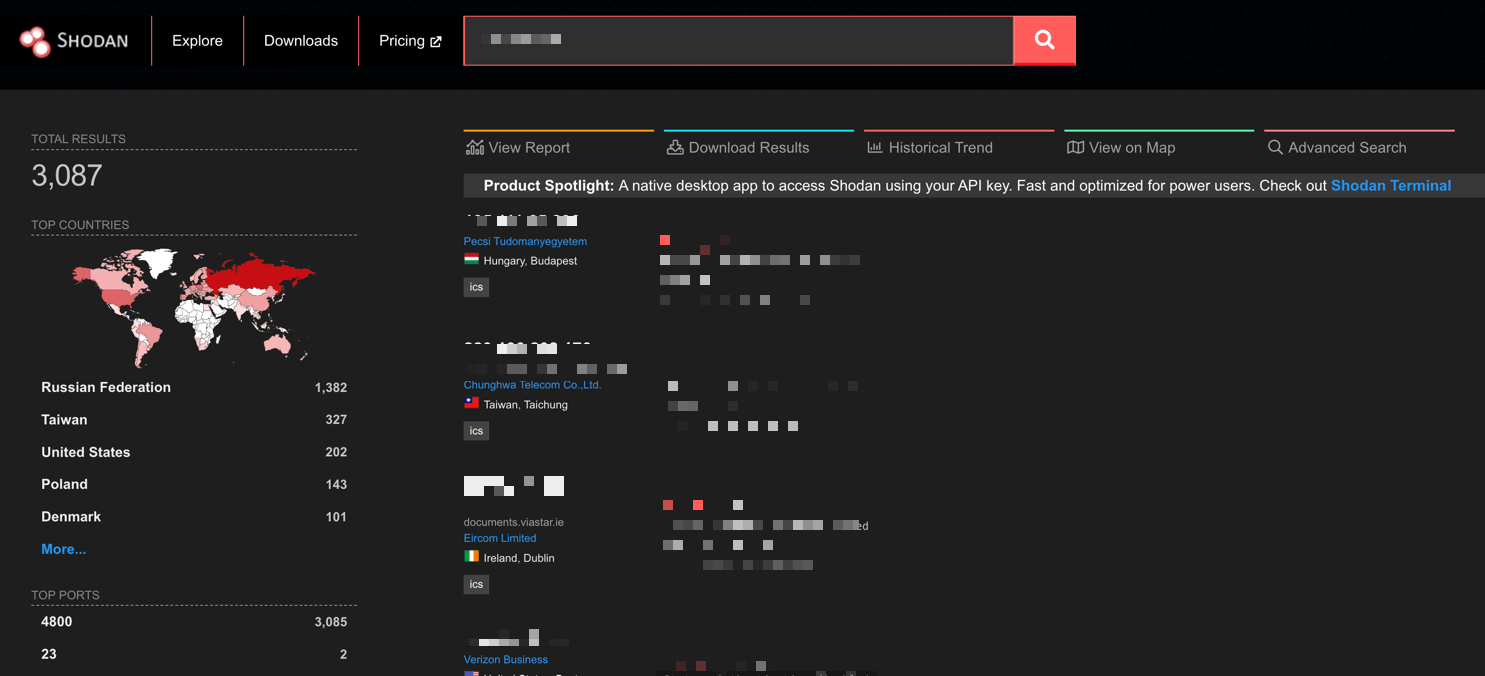
Shodan results page example
DNSDumpster
Offers free passive DNS enumeration with no registration required, and returns subdomains, DNS records, and a visual infrastructure map in seconds. One of the most useful free OSINT tools for quickly scoping an organization’s web presence.
SecurityTrails
Historical DNS and WHOIS data. Useful for tracing infrastructure changes over time and connecting current malicious domains to historical threat actor patterns. Freemium.
Email and Credential Exposure
Have I Been Pwned
The industry standard for breach monitoring. Check whether organizational email addresses appear in known data breaches. The free API integrates directly into identity governance and SIEM workflows. Free.
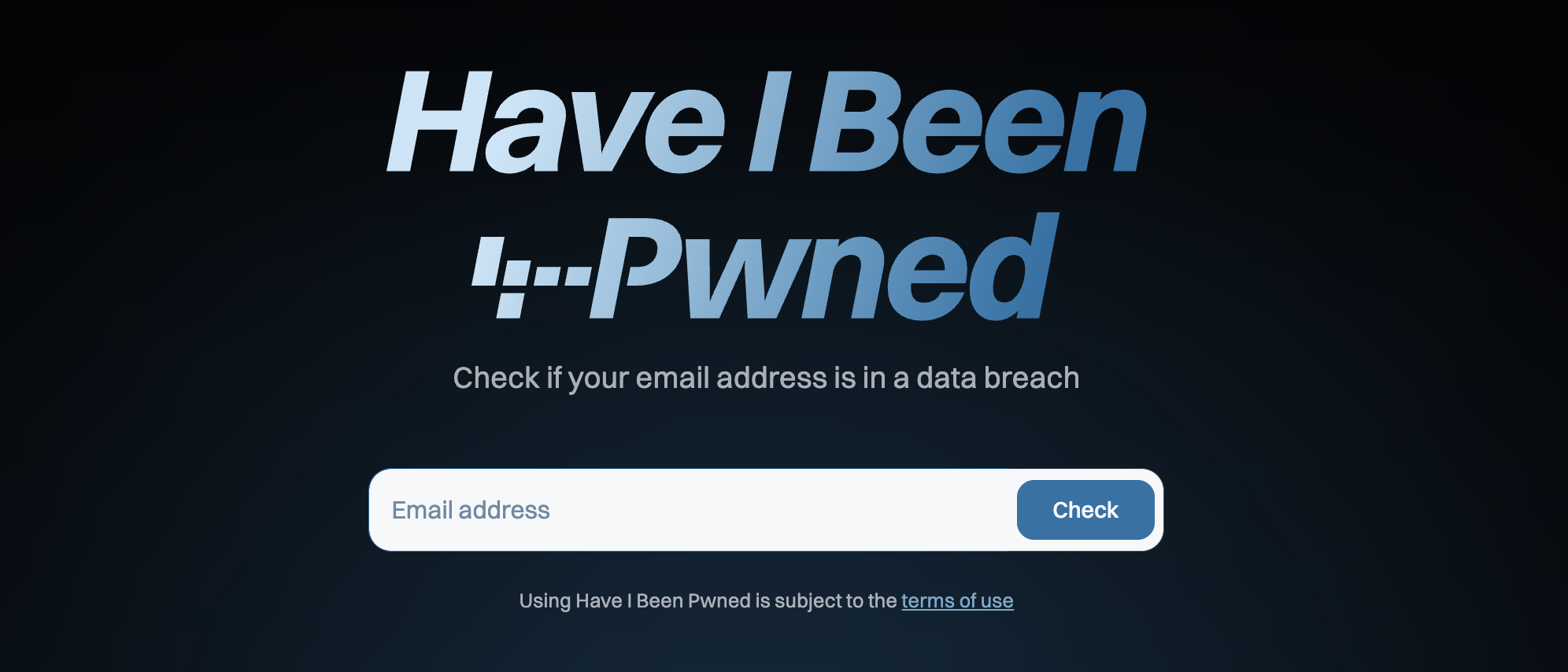
Have I Been Pwned (HIBP)
Hunter.io
Surfaces publicly visible email addresses associated with a domain and identifies naming conventions. Used by red teams for phishing recon and blue teams for exposure monitoring. Freemium.
Holehe
An open-source tool that checks whether an email address is registered across hundreds of web services. Useful for tracking threat actors who reuse the same email across platforms. Free.
People and Social Media Intelligence
Maltego
The most powerful OSINT link analysis platform available. Visualizes relationships between people, domains, IPs, and organizations in an interactive graph. Hundreds of data source integrations via the Transform marketplace. Community Edition is free; full license is paid.
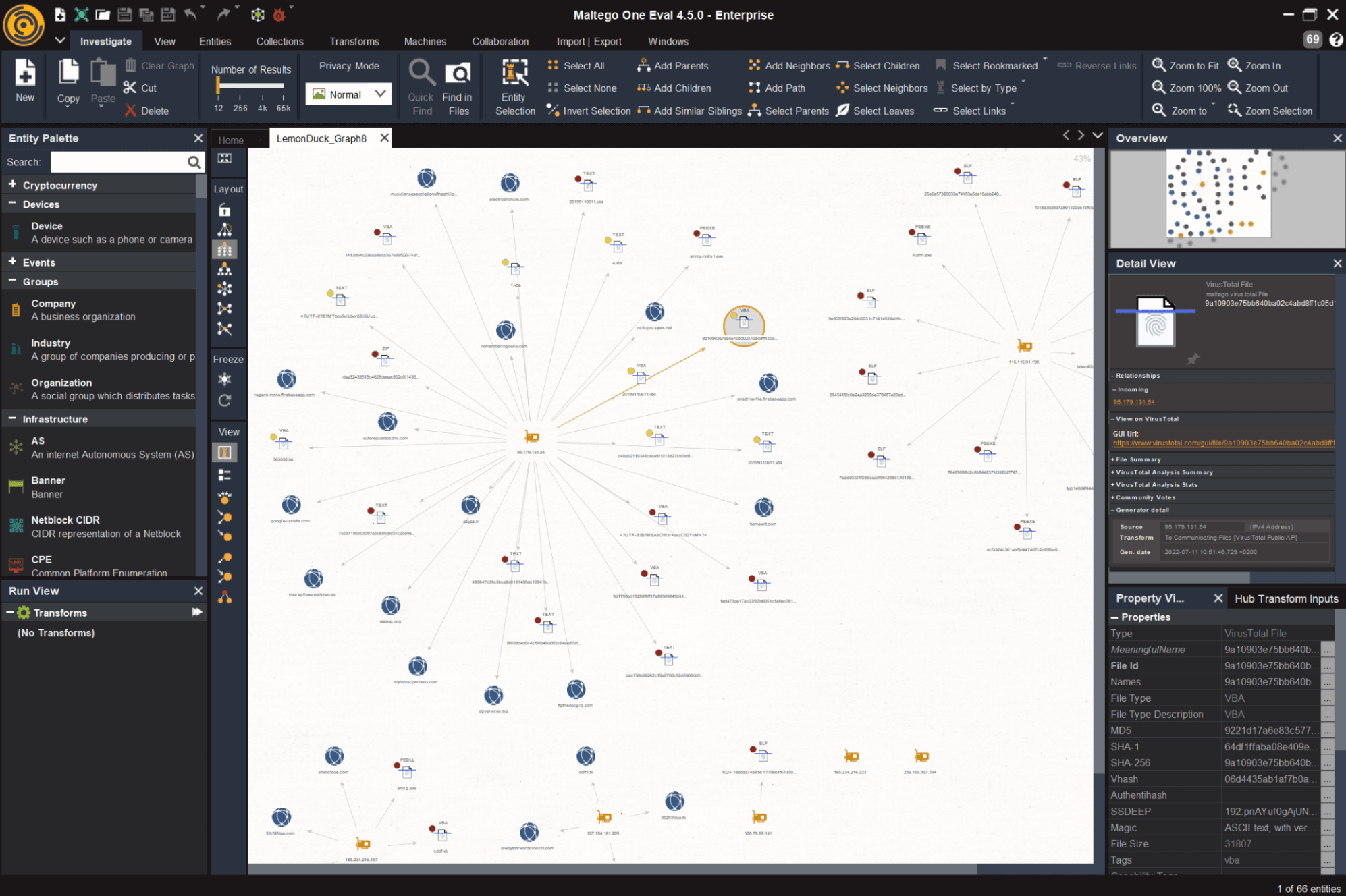
Maltego mapping the LemonDuck malware example
SpiderFoot
Open-source automation framework that queries 200+ data sources simultaneously to build a comprehensive intelligence profile on any target. One of the best free OSINT tools for broad automated reconnaissance. SpiderFoot HX is the paid hosted version.
Sherlock
Hunts a given username across 300+ social platforms simultaneously. Useful for tracking threat actors who reuse handles and for insider threat investigations. Free.
Dark Web and Paste Site Monitoring
SOCRadar Threat Hunting – Free Trial
Most Dark Web monitoring tools search one or two source types. SOCRadar’s Threat Hunting queries 50+ simultaneously – Dark Web markets, messaging platforms, threat feeds, code repositories, and more.
On the free tier you can search by IP, domain, email, URL, or keyword, pull WHOIS, DNS, SSL, and JARM metadata, detect exposed files, buckets, and Dark Web forum mentions, and access breach credential datasets including 8,200+ combolists.
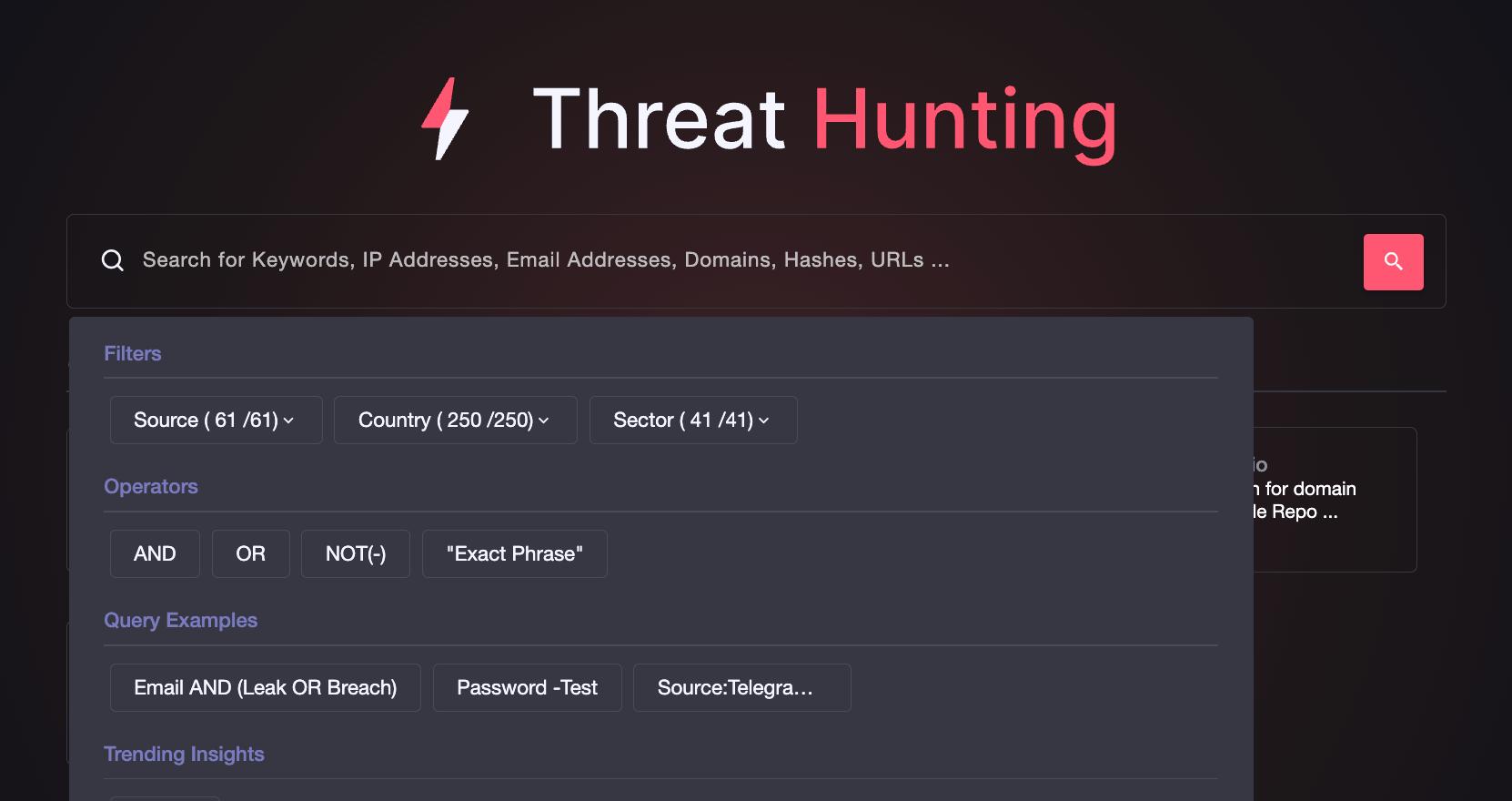
SOCRadar’s Threat Hunting
IntelligenceX (INTELX)
Indexes Dark Web content, paste sites, and data leaks. Searchable by email, domain, IP, and Bitcoin address. One of the most capable OSINT websites for breach investigation and threat actor tracking. Freemium.
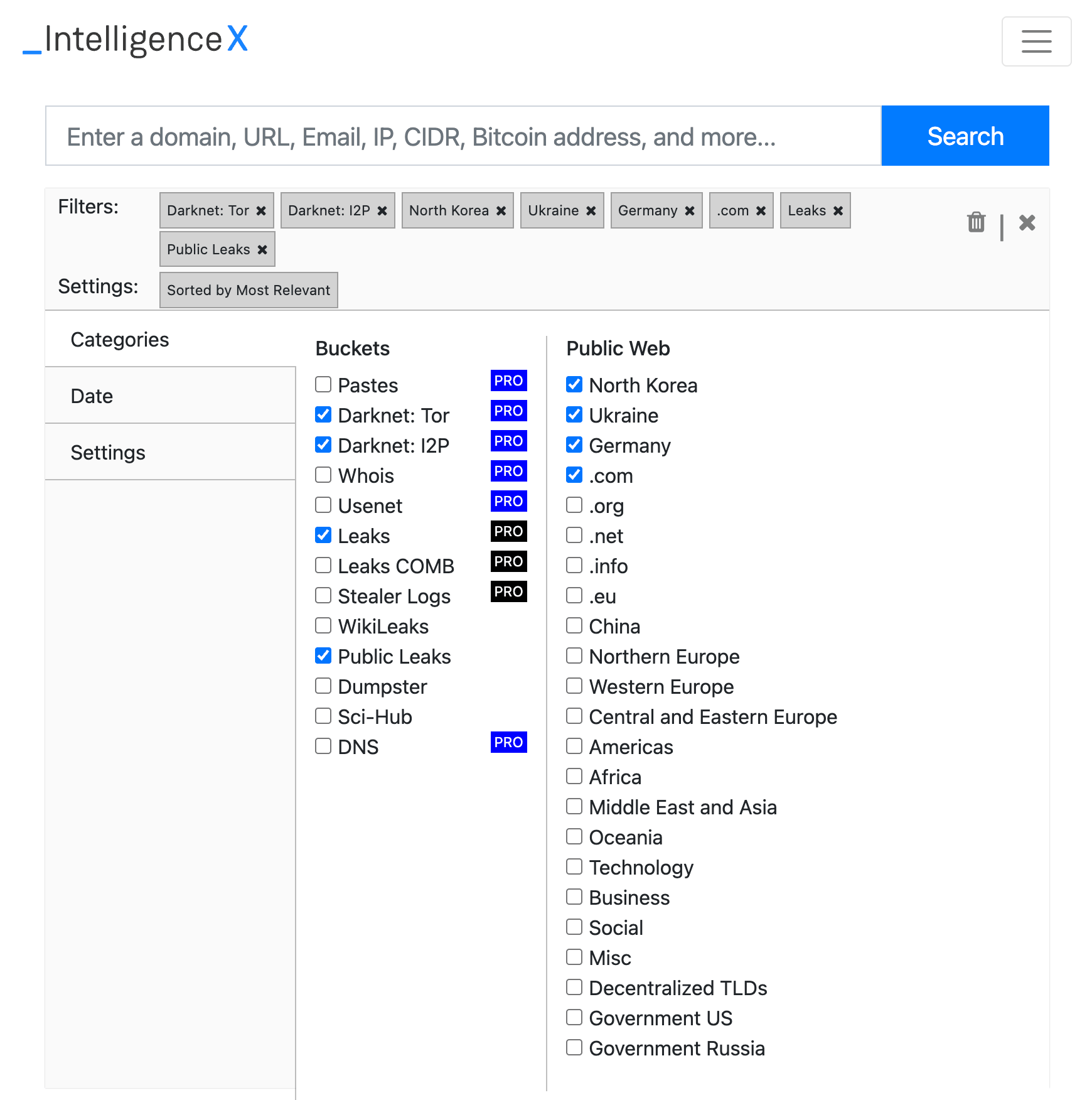
IntelX advanced search filters
Ahmia
Free clearnet search engine for .onion Tor sites. Allows Dark Web research without a direct Tor connection, suitable for corporate environments. Free.
Metadata and Search Engine Intelligence
Google Hacking Database (GHDB)
Community library of thousands of proven Google dork queries organized by vulnerability category. Running GHDB queries against your own domain is one of the highest-value, zero-cost activities in any OSINT security program. Free.
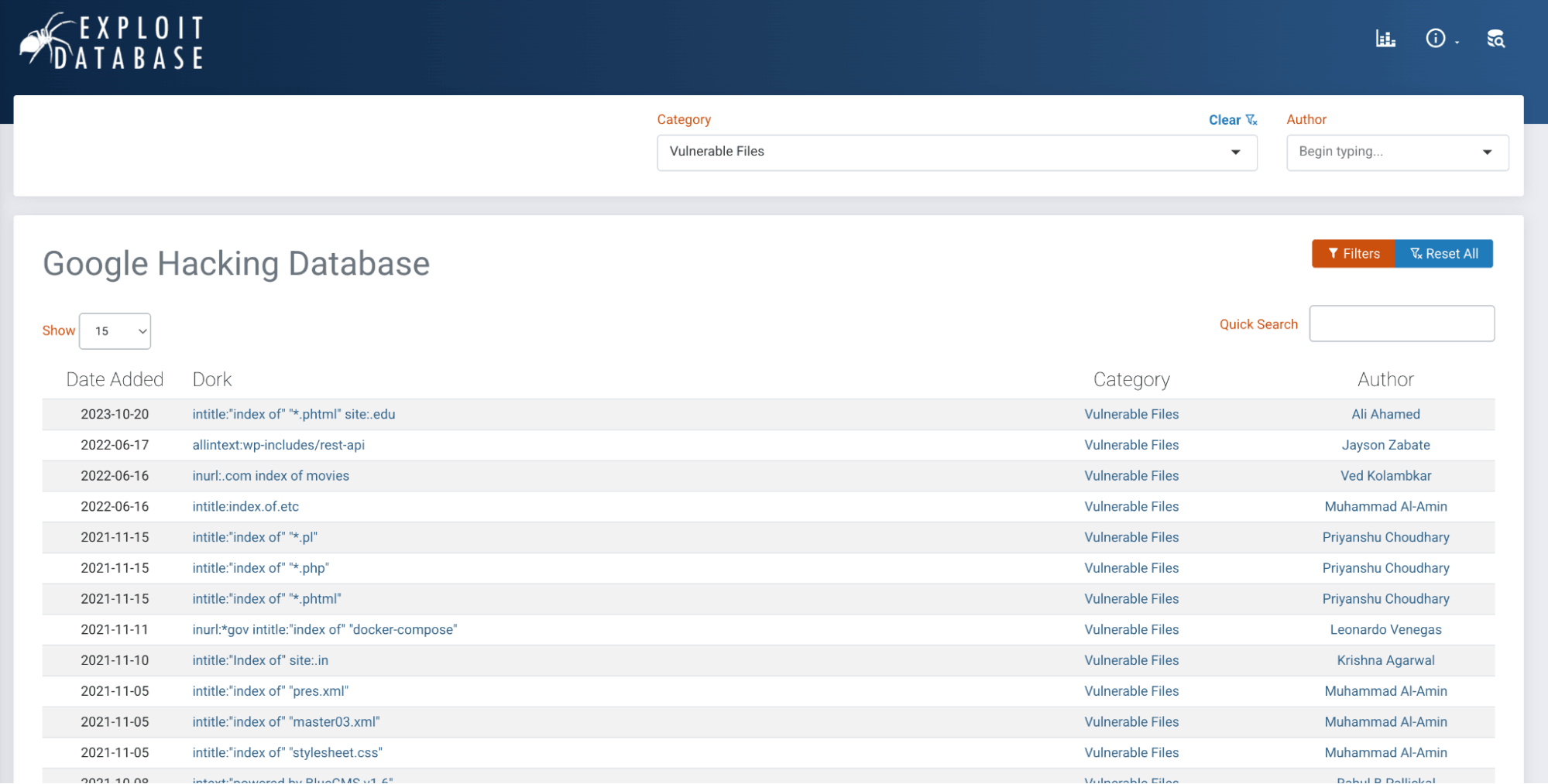
Google Hacking Database – a searchable library of dork queries
ExifTool
Industry standard for file metadata extraction across hundreds of formats. Extracts GPS coordinates from images, internal system data from documents, and more. Free.
FOCA
FOCA searches a target domain for public documents, downloads them, and extracts embedded metadata, including internal usernames, file paths, and software versions. It is a staple free OSINT tool in penetration testing toolkits, for free.
Key OSINT Websites to Bookmark
These OSINT websites provide instant, browser-based intelligence access with no installation required.
- osintframework.com is the definitive tree-structured directory of OSINT tools organized by data type. The first place to go when you know what you need to find but not which tool to use.
- crt.sh searches Certificate Transparency logs to enumerate all SSL certificates issued for a domain, including subdomains invisible to standard DNS enumeration.
- urlscan.io safely inspects suspicious URLs without exposing your systems, returning screenshots, DOM content, network requests, and hosting metadata.
- viz.greynoise.io distinguishes background internet noise from targeted attacks, providing essential context for SOC analysts triaging alerts involving unfamiliar external IPs.
- threatfox.abuse.ch is a free community IOC platform. Search domains, IPs, and file hashes against a constantly updated database of known malware infrastructure.
Free vs. Paid OSINT Tools: What Does Your Team Actually Need?
Most security teams can cover the majority of their day-to-day OSINT needs with free tools alone. The gap between free and paid is less about capability and more about scale, automation, and depth.
| Free Tools | Paid Tools | |
| Best for | Manual, on-demand investigations | Continuous, automated monitoring |
| Query limits | Restricted, browser-based | High-volume, full API access |
| Data depth | Current state only | Historical data, trend analysis |
| Integration | Manual lookups | SIEM, SOAR, pipeline integration |
| Monitoring | Spot-checks | Scheduled scans and alerting |
| Team features | Individual use | Dashboards, collaboration, reporting |
Start with the free stack. Once manual lookups become a bottleneck or you need continuous monitoring across a large asset inventory, that is the signal to invest in paid capabilities.
How to Run an OSINT Security Investigation: A Step-by-Step Workflow
A repeatable methodology matters as much as the tools themselves. Here is a concise workflow that applies to the most common investigation scenario: an unknown external indicator that needs rapid profiling.
The scenario: Your SOC flags outbound connections from an internal host to an unfamiliar domain. You need to determine whether this is a threat and what to do about it.
Step 1: Frame Your Questions First
Before opening any tool, write down what you need to know. Who controls this domain? Is it linked to known malicious activity? Are other internal systems communicating with it? Clear questions keep the investigation focused and determine which tools you reach for.
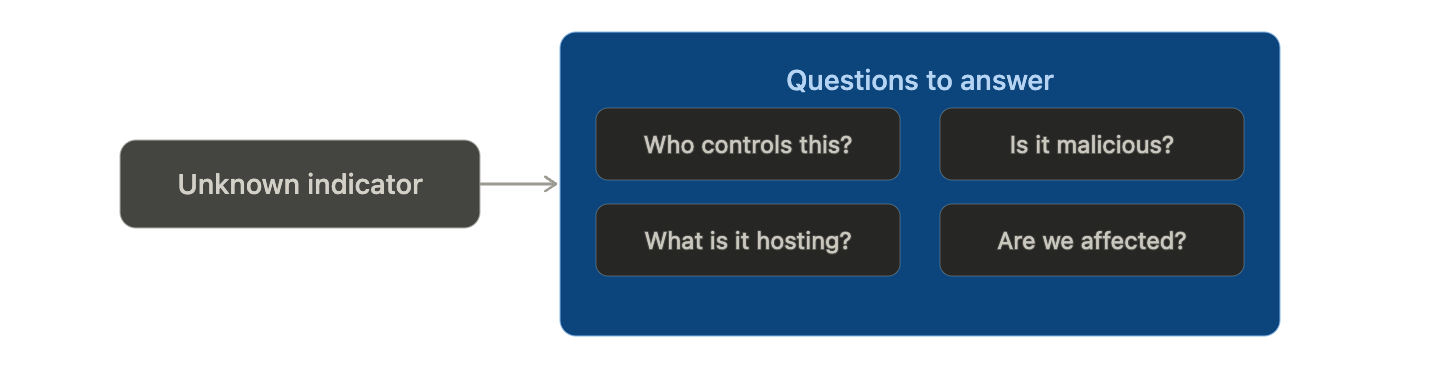
Clear questions determine which tools you reach for, and keep the investigation focused.
Step 2: Passive Infrastructure Reconnaissance
Start with zero-interaction tools that gather intelligence without touching the target. Look up DNS records, hosting infrastructure, open ports, SSL certificate details, and registrant history. Check whether the domain or IP appears in any known threat intelligence sources. This step alone should give you an initial confidence level on whether the indicator is suspicious.
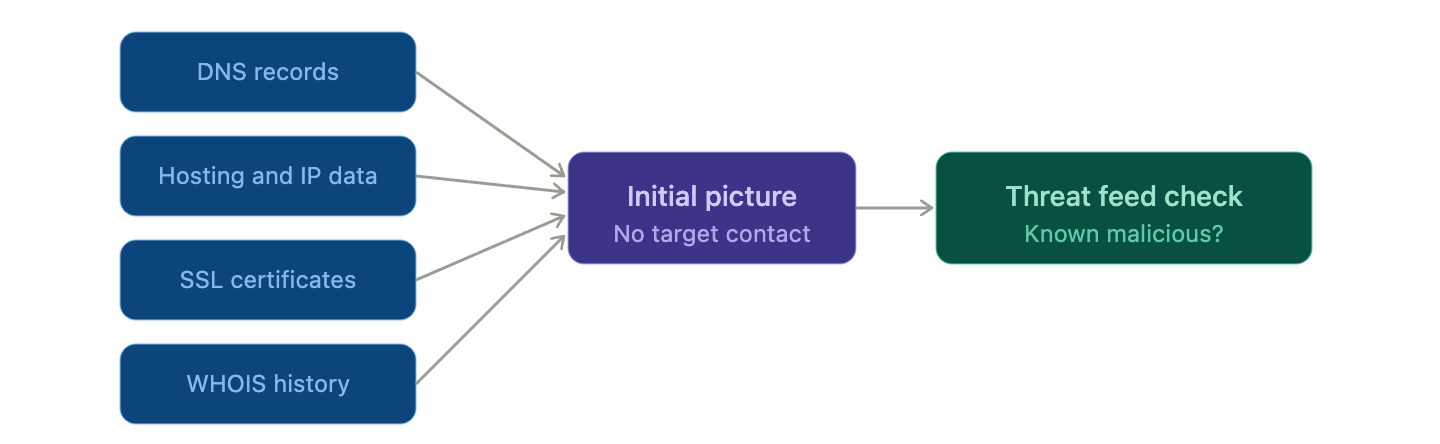
All sources are passive. No probes sent, no contact with the target.
Step 3: Pivot and Build the Intelligence Picture
Each finding becomes a new selector. A hosting IP may link to known malicious infrastructure. A shared SSL certificate may reveal a cluster of related domains. A registrant email may surface a known threat actor handle. Follow each thread and use a link analysis tool to visualize the connections as a graph rather than a list. The goal is a coherent intelligence picture, not a collection of isolated data points.
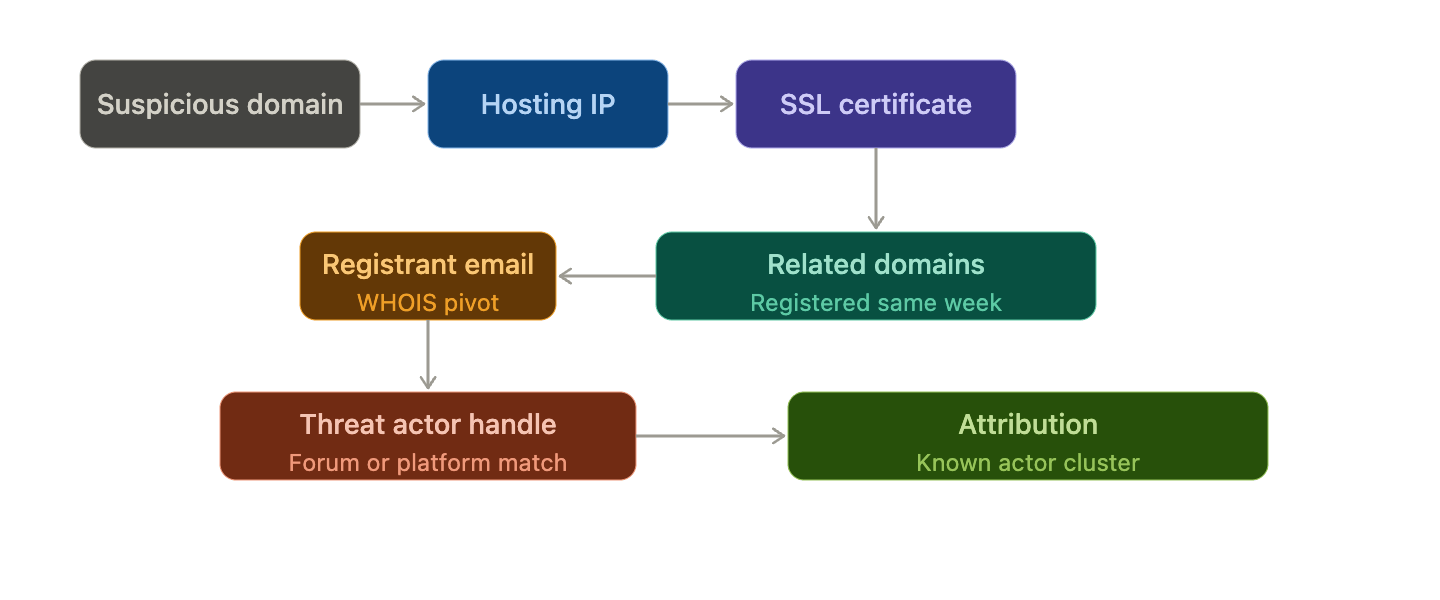
Every finding is a new lead. Follow the chain until the picture is complete.
Step 4: Check for Organizational Exposure
While profiling the external threat, check whether your organization is already affected. Look for any mentions of your domain in paste sites or Dark Web sources. Check relevant employee credentials against breach databases. Inspect any historical scans of the suspicious domain for traces of organizational assets.
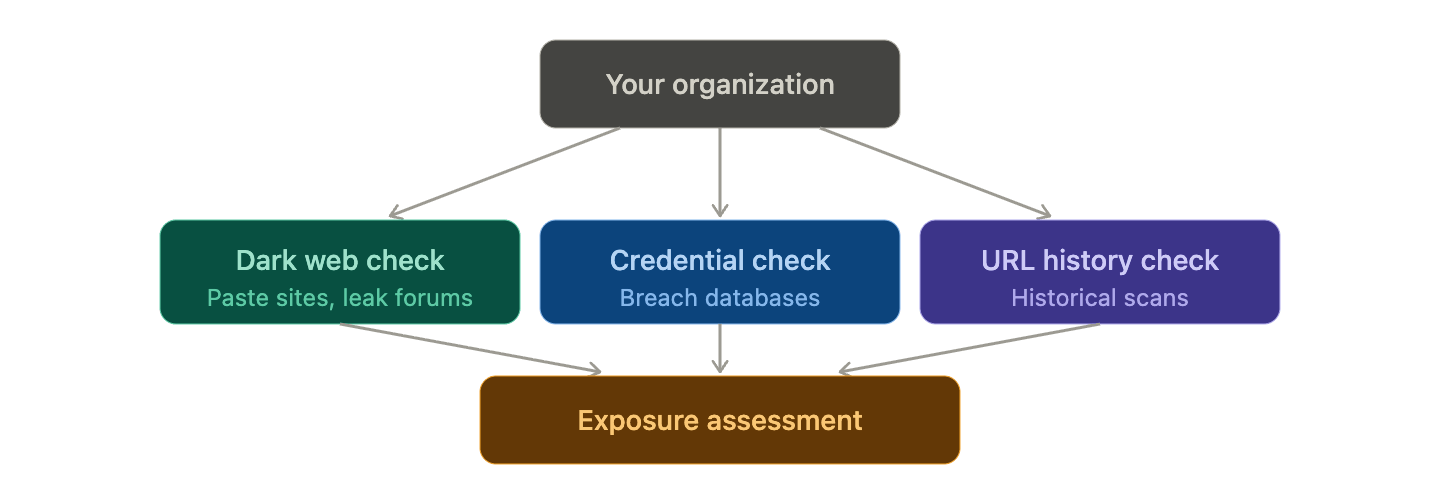
While profiling the threat, run parallel checks to see if your organization is already affected.
Step 5: Document and Act
Record every tool, query, result, and timestamp as you go. Produce two outputs: a technical IOC list with confidence levels and recommended blocks for the security team, and a plain-language summary with business impact for leadership. The measure of a good OSINT investigation is the clarity of the decision it enables.
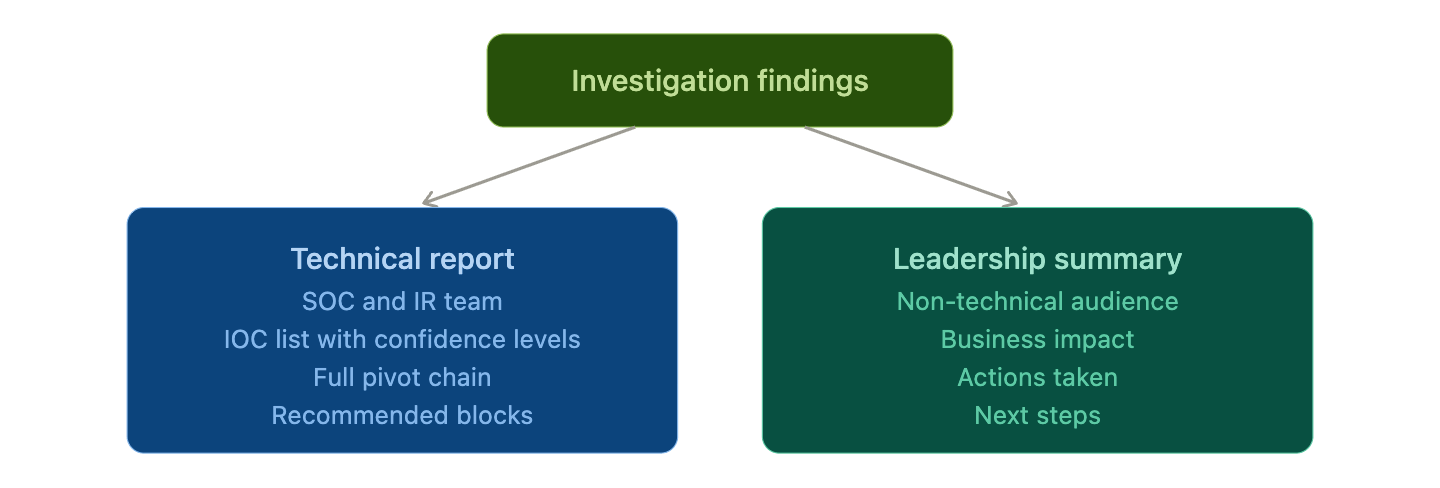
Structure your output for two audiences: the team that blocks the threat, and the team that makes the call.
SOCRadar Labs: Free Tools for Security Teams
If you are looking for a single browser-based platform that consolidates many of the capabilities covered in this guide, SOCRadar Labs is worth bookmarking immediately.
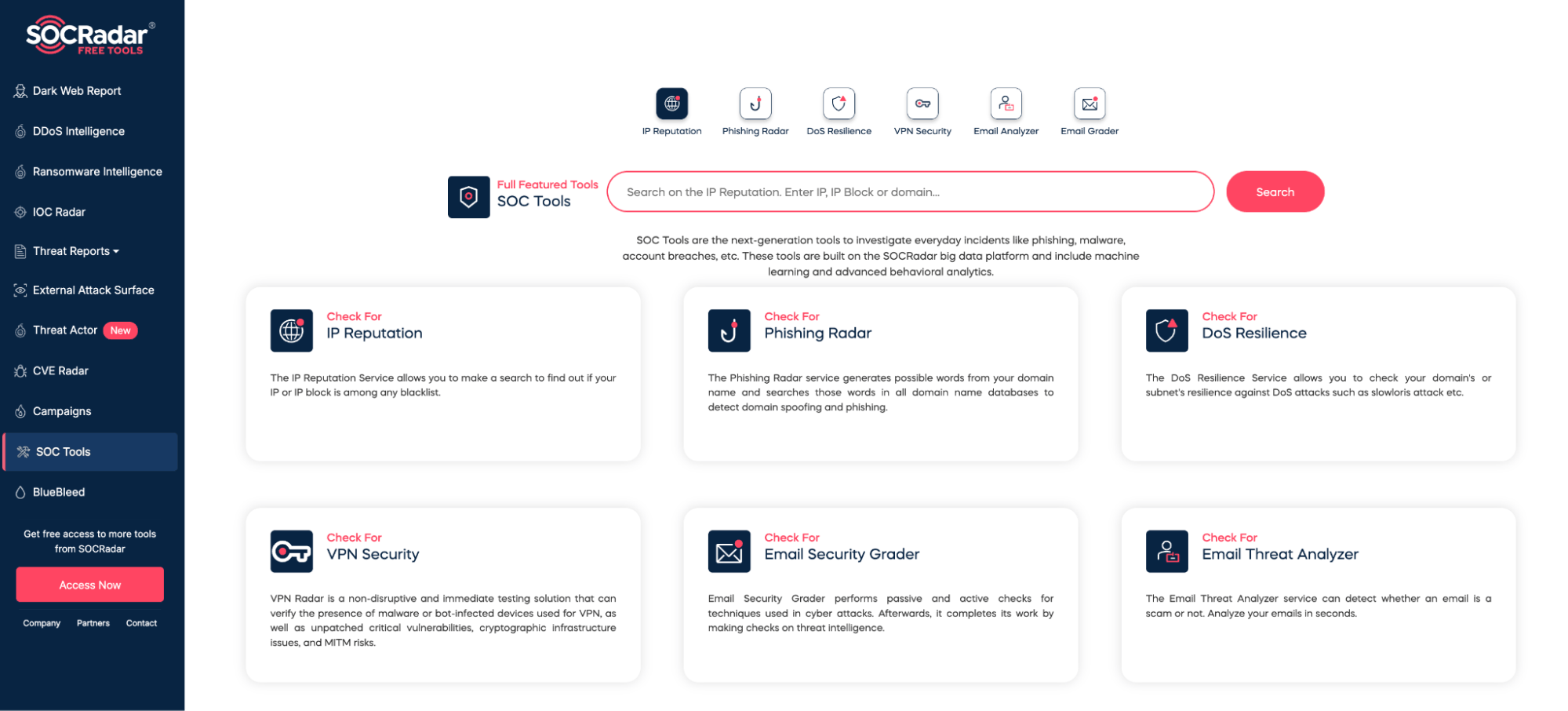
SOCRadar Labs Free Tools for SOC
When you are mid-investigation and need fast answers, switching between six different tools kills momentum. SOCRadar Labs solves that. It is a free, browser-based platform that brings the most common OSINT lookups into a single place, no installation, no account needed.
You can check IP and domain reputation, run passive DNS and WHOIS lookups, hunt for typosquatted domains impersonating your brand, scan Dark Web sources for mentions of your organization or leaked credentials, look up CVEs against your infrastructure, and enrich unknown IOCs with threat intelligence context. Think of it as the first tab you open, not the only one. Fast triage, zero friction, genuinely free.
Conclusion
The tools are free, the websites are a bookmark away, and the learning curve is shorter than most people expect. There is no good reason to wait before building an OSINT capability into your security operations.
Start with your own organization. Run a few of these tools against your own domain and see what comes back. Check what credentials are exposed. Look up your infrastructure in Shodan. Search your domain on the Dark Web. Most teams are surprised by what is already out there, and that surprise is a far more effective driver of change than any security report.

Security
via SOCRadar® Cyber Intelligence Inc. https://socradar.io
April 27, 2026 at 08:06AM
Yağmur Ernalbant
 Stack IT News